The Mahatma Gandhi National Rural Employment Guarantee Act (MGNREGA) provides social security to rural families. This central government scheme guarantees 100 days of unskilled manual work each financial year to registered rural households.
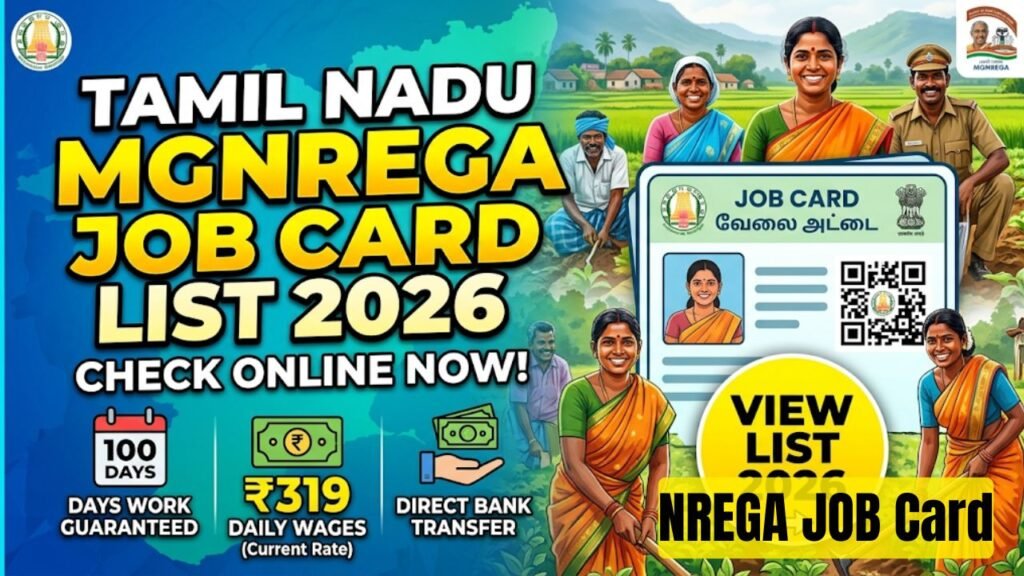
For the year 2026, the Ministry of Rural Development maintains the updated Tamil Nadu MGNREGA Job Card List online. Workers in Tamil Nadu can check their names, view job card numbers, download official cards, and verify wage distributions right from their mobile phones or computers.
This guide explains how to check the 2026 job card list, download your card, and track your payment details.
Key Highlights of Tamil Nadu MGNREGA 2026
The state government implements this scheme across all 38 districts of Tamil Nadu. Adult members of rural families can request work through their local Gram Panchayat offices. Here are the core details of the program for this year:
| Feature | Details |
| Scheme Name | Mahatma Gandhi National Rural Employment Guarantee Act (MGNREGA) |
| State Covered | Tamil Nadu |
| Beneficiaries | Rural households seeking unskilled manual labor |
| Employment Guarantee | At least 100 days per financial year |
| Daily Wage Rate (2026) | ₹319 per day |
| Payment Mode | Direct Bank Transfer (DBT) via Aadhaar-Linked Accounts |
| Official Website | nrega.nic.in |
Benefits of Holding an MGNREGA Job Card
An active job card serves as an official document. It protects your labor rights and guarantees public employment opportunities within your area.
- Legal Right to Work: The law guarantees 100 days of work to your household. If the local administration fails to provide work within 15 days of your written request, you receive an unemployment allowance.
- Proximity to Home: Authorities assign projects within 5 kilometers of your home village. If you travel further than 5 kilometers, you receive an extra 10% wage allowance to cover transportation costs.
- Direct Wage Credit: The government transfers your wages directly into your bank account. The system eliminates middlemen and guarantees that you receive full payment for your work days.
- Valid Photo Identity: The Gram Panchayat issues a physical job card with your photograph. You can use this document as a valid identity proof for various public services.
- Equal Opportunities: The scheme mandates a 33% reservation for women workers. Women receive the exact same daily wage rate as men for identical manual work.
Step-by-Step Guide to Check Tamil Nadu Job Card List 2026 Online
The central government hosts all village employment data on the official web portal. You do not need to visit government offices or pay any fees to check the public records.
Follow these steps to view the active list for your village:
Step 1: Open the Central Portal
Open your web browser on your phone or computer. Type the official Nrega URL into the address bar. The homepage of the Ministry of Rural Development will load.
Step 2: Navigate to Reports
Scroll down the homepage to find the Key Features section. Click on the link labeled Reports. The system will present a secure security verification page. Solve the simple math puzzle or enter the captcha letters to enter the internal directory.
Step 3: Select State and Financial Year
The screen displays an interactive map and a list of all Indian states. Click on Tamil Nadu. On the next screen, you will find options to select specific data parameters. Choose the financial year 2025-2026 or 2026-2027 depending on the specific months you wish to track.
Step 4: Drill Down by Administrative Levels
Select your specific district name from the first drop-down menu. Once selected, pick your Block name from the second list. Finally, choose your local Gram Panchayat (village) name from the third drop-down menu. Click the Proceed button.
Step 5: Open the Job Card Register
The screen displays a comprehensive menu of internal reports. Look for the section titled R1. Job Card/Employment Register. Click on the link named Job Card/Employment Register.
Step 6: Find Your Name and Download PDF
A complete table of your village appears on the screen. It displays unique job card numbers alongside head-of-household names. Use the “Find” feature on your phone or browser (Ctrl + F on a keyboard) and type your name. Click your blue highlighted Job Card Number next to your name. Your individual card profile opens. You can click the print option to save your digital card as a PDF file.
Understanding the Color Coding on the Job Card List
The online portal uses distinct color markers on names and card numbers to convey card status quickly to local administrators and audit committees.
- Green Color: The worker actively demanded work, received an assignment, and successfully completed labor days during the current financial year.
- Grey Color: The job card is verified and active, but the household has not applied for or completed manual labor during the current reporting cycle.
- Yellow Color: The profile requires an urgent physical photograph upload or lacks verified biometric identifiers.
Mandatory Requirements for MGNREGA Workers in 2026
The Ministry of Rural Development enforces strict guidelines to maintain transparency. Workers must complete regular operational steps to avoid administrative freezes on their payments.
- Aadhaar e-KYC Verification: You must link your 12-digit Aadhaar number with your MGNREGA profile. Gram Rozgar Sahayaks (village employment helpers) complete this verification locally.
- NPCI Bank Account Mapping: Your bank account must link to the National Payments Corporation of India (NPCI) system. This setup routes your wages via the Aadhaar Based Payment System (ABPS).
- Muster Roll Mobile Attendance: Field supervisors track daily worksite attendance through the National Mobile Monitoring System (NMMS) mobile app. Ensure your supervisor records your presence twice daily at the worksite.
Official Helpdesks and Complaint Portals
If you face problems like delayed wage transfers, lack of work options, or mistakes on your printed card, use these direct official channels.
| Support Type | Contact Channel / Information |
| National Toll-Free Helpline | 1800-111-555 |
| Central Grievance Portal | pgportal.gov.in |
| Local Point of Contact | Gram Panchayat Secretary / Block Development Officer (BDO) |
Official Government References
Always verify your job details on genuine portals. Avoid third-party websites that ask for private verification codes or fees.
| Entity | Portal Web Address |
| Central MGNREGA Portal | https://vbgramg.dord.gov.in/vbgramg/home.aspx |
| Ministry of Rural Development | rural.gov.in |
| Tamil Nadu State Rural Portal | tnrd.gov.in |