The Government of India wants to provide high-speed internet to every corner of the country. To achieve this goal, the Department of Telecommunications (DoT) launched a revolutionary scheme called PM-WANI (Prime Minister Wi-Fi Access Network Interface). This scheme changes the way people access public Wi-Fi.
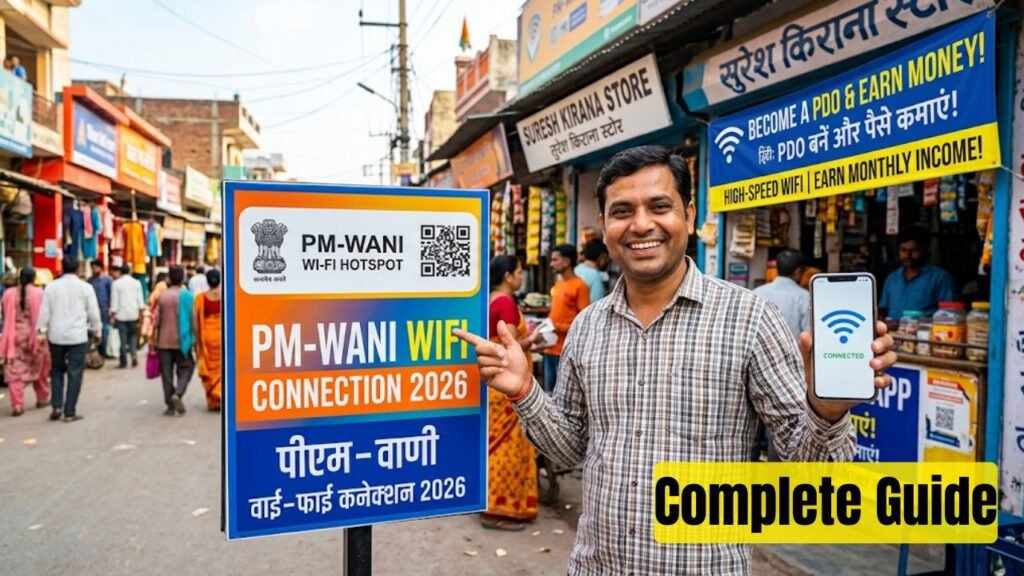
The best part about this scheme is that it creates massive business opportunities for small shopkeepers, common citizens, and young entrepreneurs. You can set up a public Wi-Fi hotspot at your place, sell internet data to users, and earn a steady monthly income. You do not need any expensive license or high setup costs to start this business.
This comprehensive guide explains everything about the PM Wani Wifi Connection 2026. You will learn how to become a Public Data Office (PDO), the registration process, required equipment, and how to maximize your monthly earnings.
Key Highlights of PM Wani Scheme 2026
The PM-WANI scheme operates under simple rules to promote digital growth. Here is a quick summary of the important details you need to know:
| Feature | Details |
| Scheme Name | PM-WANI (Prime Minister Wi-Fi Access Network Interface) |
| Launched By | Department of Telecommunications (DoT), Ministry of Communications |
| Target Audience | Small shopkeepers, tea stalls, local residents, entrepreneurs |
| Primary Goal | To provide cheap, high-speed public Wi-Fi across India |
| Registration Fee | Completely Free (No License Fee) |
| Authentication Method (2026) | QR-Code Based User Authentication & Short-Duration Vouchers |
| Official Portal | https://pmwani.gov.in |
What is a Public Data Office (PDO)?
To understand the earning model, you must understand the structure of the PM-WANI ecosystem. The framework uses four main pillars to distribute internet services:
- Public Data Office (PDO): This is the retail unit of the scheme. Any small business owner or individual can become a PDO. You will establish and maintain the physical Wi-Fi hotspot. You buy internet bandwidth from local internet service providers (ISPs) and share it with the public.
- Public Data Office Aggregator (PDOA): The PDOA is an aggregator that helps multiple PDOs. They handle the main backend jobs like user authorization, accounting systems, and central management. As a PDO, you will partner with a registered PDOA to run your hotspot software.
- App Provider: These companies build mobile applications that help users discover nearby PM-WANI Wi-Fi hotspots. Users log into these apps, view available networks, and buy data plans.
- Central Registry: Maintained by the Centre for Development of Telematics (C-DoT), this central registry tracks all authorized PDOAs, App Providers, and active PDO physical hotspots.
Benefits of Becoming a PM-WANI PDO
Becoming a PDO offers multiple advantages for local business owners and young individuals looking for passive income streams:
1. Zero License Fee
The government does not charge any application fee, registration fee, or franchise fee to start a PDO. You keep your operational costs extremely low from day one.
2. Boost Local Customer Footfall
If you run a grocery shop, a tea stall, a cafe, or a salon, offering a public Wi-Fi hotspot draws more customers to your business. Customers will spend more time at your commercial space while using the internet, which boosts your main business sales.
3. High Earning Potential
You can sell small internet vouchers to hundreds of users daily. Since the cost of commercial broadband plans is fixed, every extra voucher you sell increases your direct profit margins.
4. No Complex Compliance
You do not have to worry about tracking individual user data or legal compliance. The PDOA partner and the app systems handle the data security protocols automatically under the official guidelines.
Important Dates for PM-WANI Scheme
The PM-WANI framework follows a continuous implementation model. The government regularly updates the system to make it easier for operators and consumers.
| Event / Update | Date / Timeline |
| Official Scheme Launch | December 9, 2020 |
| New QR-Code Authentication Mandate | Early 2026 |
| Implementation of Sub-Daily Short Vouchers | Ongoing in 2026 |
| PDO Registration Window | Open 24/7 (Always Open) |
Important 2026 System Update: The Department of Telecommunications introduced an amendment in early 2026. The new rules mandate QR-code-based user authentication. This replaces the old, slow OTP registration process. Now, users simply scan a unique QR code displayed at your shop to connect instantly. Operators must also offer short-duration vouchers like hourly or daily packs.
Eligibility Criteria to Become a PDO
The Indian government keeps the eligibility barrier extremely low to encourage maximum participation. You can apply if you meet the following basic requirements:
- You must be a citizen of India.
- You must own or rent a physical space, such as a retail shop, commercial office, or a house near a crowded public area.
- You must have a valid commercial broadband or fiber internet connection (like JioFiber, Airtel Xstream, BSNL Bharat Fiber, or any local ISP).
- You must possess basic identification documents like an Aadhaar Card or a PAN Card.
Required Equipment for Setting Up a Hotspot
To convert your regular internet connection into a money-earning PM-WANI public hotspot, you need a few hardware items:
- A High-Speed Internet Connection: A stable fiber broadband line provides the best speeds for multiple concurrent users.
- PM-WANI Compliant Wi-Fi Router / Access Point: You cannot use a standard home router. You need a specialized commercial access point that supports captive portal software, QR code authentication, and long-range signal distribution. Your chosen PDOA partner usually provides or recommends this specific hardware.
- Continuous Power Supply: A small UPS connection ensures your Wi-Fi hotspot stays online during power cuts.
How to Register and Become a PDO (Step-by-Step)
The registration process is fully digital and transparent. Follow these steps to complete your setup:
Step 1: Visit the Official Portal
Open your internet browser and navigate to the official portal at https://pmwani.gov.in.
Step 2: Navigate to the PDO Section
Click on the PDO Portal or select the PDO Eligibility Check / Enquiry Form option on the homepage.
Step 3: Select a Registered PDOA Partner
Review the list of provisionally certified Public Data Office Aggregators (PDOAs) operating in your geographic region. Choose a suitable PDOA partner. They will supply the required software integration, customized billing setup, and the compliant Wi-Fi router.
Step 4: Fill Out the Application Form
Enter your personal details accurately. Provide your full name, mobile number, active email address, and shop or office name. Type the complete physical address along with the correct pin code.
Step 5: Upload Verification Documents
Select your preferred ID proof, such as an Aadhaar Card or a PAN Card. Upload a clear digital copy of the document in PDF or JPG format. You can also upload a photograph of your commercial shop to speed up the local verification process.
Step 6: Verify and Submit via OTP
Review your entered details for accuracy. Click the submit button. The system will send a One-Time Password (OTP) to your registered mobile number. Enter the OTP to verify your identity and submit the form.
Step 7: Receive Your Unique PDO ID
Once approved by the central system and your PDOA partner, you will receive a unique PDO ID. This unique code represents your official hotspot in the national PM-WANI registry database.
Step 8: Install the Router and Go Live
Connect your new PM-WANI compliant router to your broadband modem. Configure the software with your unique PDO ID. Display the official QR code banner outside your commercial shop. Your hotspot will now appear automatically on all certified PM-WANI discovery applications.
How to Earn Money from PM-WANI Hotspot
Your earning potential depends directly on the footfall near your hotspot location. Here is how the revenue generation model works:
- Setting Up the Data Plans: Your PDOA partner configures a range of low-cost data plans. These can include plans like ₹5 for 1 GB valid for 1 day, or ₹10 for 5 GB.
- User Purchases Access: A user arrives near your shop, scans your QR code, selects a suitable data pack, and pays instantly using UPI, credit cards, or digital wallets.
- Revenue Share Model: The collected amount transfers securely through the payment gateway. After a small revenue share deduction by the PDOA for backend software services, the major portion of the payment deposits directly into your linked bank account.
Monthly Earning Estimate Example
The table below shows an estimate of your daily and monthly earnings based on the number of active users:
| Average Users Per Day | Average Plan Value | Daily Income | Estimated Monthly Income |
| 50 Users | ₹10 | ₹500 | ₹15,000 |
| 100 Users | ₹10 | ₹1,000 | ₹30,000 |
| 200 Users | ₹5 | ₹1,000 | ₹30,000 |
To maximize your income, place your hotspot in crowded locations like bus stands, railway stations, marketplaces, school areas, or dense residential colonies.
Official Government References
Always use official government websites to verify information and avoid fraudulent third-party service providers.
| Organization | Purpose / Service | Official Link |
| Department of Telecommunications | Main Framework & Guidelines | https://dot.gov.in |
| PM-WANI Central Registry | Status Check & PDO Registration | https://pmwani.gov.in |
| Saral Sanchar Portal | Licensing and PDOA Portal | https://saralsanchar.gov.in |
PM-WANI Helpline Numbers
If you face technical difficulties during registration or need assistance regarding hardware setup, contact the official C-DoT helpdesks:
| Location | Phone Number | Email Address | Timings |
| C-DOT Delhi Office | +91-11-26598700 | support.pmwani@cdot.in | 9:00 AM to 5:00 PM (Mon-Fri) |
| C-DOT Bangalore Office | +91-80-25119898 | pmwani@cdot.in | 9:00 AM to 5:00 PM (Mon-Fri) |
Conclusion
The PM Wani Wifi Connection 2026 framework provides an incredible platform to start a small internet distribution business with zero license costs. By converting your spare internet bandwidth into a public hotspot, you help build a Digital India while securing a regular monthly income. Visit the official PM-WANI portal today, select a certified PDOA partner, complete your registration, and start your entrepreneurial journey.